Three apps

How it works

Start → Log → Finish → Look back

One day, in the order it happens, from the truck door at dawn to the table in April. The taps are counted because the count is the requirement.

There are no screenshots on this page yet. The app has run only in the simulator, and I would rather show you real screens from a phone than none at all — they will go here when they exist.

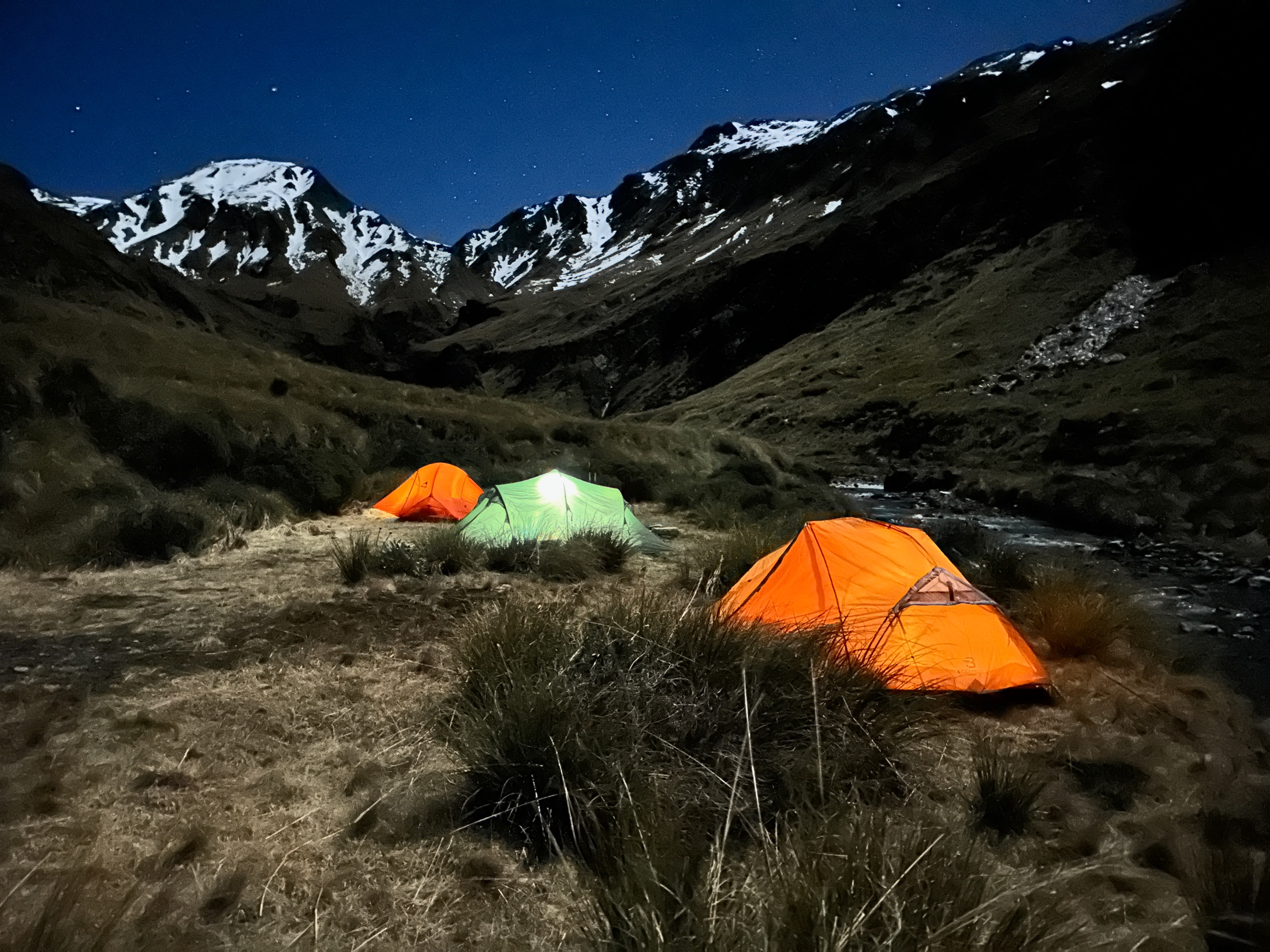
Three small tents pitched on a tussock flat beside a creek under moonlight, one lit from inside, with snow-covered peaks and stars above.
Photo — night camp full-bleed band · 2200 px wide photos/originals/night-camp.jpg
Three tents, one creek, and by April nobody can say which of these mornings was the good one unless somebody wrote it down at the time.

A day, in taps

Everything below is the ordinary shape of an outing. Nothing in it waits for the network, and no price or lock ever appears once an outing is running.

1

Start the outing

At the truck at dawn. Press the Action button — or the Control on the Lock Screen — and the outing is live with the phone never unlocked. From the app it is two taps: Head out, then the activity, big game, game bird or fishing.

The app records where you started and when, works out sunrise, civil twilight, the light phase and the moon for that place and that morning, and asks Apple for the day's weather if there is signal. If there is not, the weather shows "—" and the outing is complete without it.

START 2 taps · or 1 press of the Action button or the Control
2

Saw the mob

Halfway up you glass seven deer on the far face, too far. Tap Saw, red deer, 7, save. It goes in as a sighting with the time, position and conditions — and it is never, on any screen, added to the bag. Eleven deer seen on a blank day is a very different day from a blank day with none, and the record keeps them apart for good.

SAW 2–3 taps · under 5 s
3

Add the hind

A red hind in Willy's Gully. Tap Add. The species grid is recent-first and filtered to the outing's activity; tap red deer. The count defaults to one. Two buttons, stag and hind, labelled from the species' own terms — tap hind. Take a photo from the in-app camera if you want one. Save.

The time, the position and its accuracy, the light phase and "40 min after sunrise" were filled in before you touched anything. On save, because the position is inside the circle you drew for Willy's Gully, the app offers to file it there; one tap confirms. Everything from species to Save fits on one screen.

Fish get length, weight, method and bait. Six mallards is one entry with a count of six. Three trout of different lengths can be expanded into three entries at the same time and place.

ADD 2–4 taps · under 15 s · photo +2

4

Finish

Back at the truck, one tap. The outing is four hours, one hind taken, eight deer seen, in Willy's Gully, on a fine cold morning, forty minutes after sunrise. Those four hours are the effort that every rate in the app is divided by.

Forget to finish, and the outing closes itself at midnight with its end time shown as "—". It contributes no hours to any rate rather than a guessed figure, and the app says how many outings it left out for that reason.

FINISH 1 tap
5

The blank day

Three weeks later you go back to the same spot and see nothing. Tap Quick blank: it makes a finished outing with the activity from last time, the times estimated and marked as estimated, the position from GPS, the conditions computed and the weather fetched if it can be. A sheet shows what it is about to save; Done.

This is the most useful entry in the book, and nearly every hunting app throws it away. A rate is a count over the hours you actually put in; log only the good days and every figure is inflated. So the honest thing is made the cheap thing.

QUICK BLANK 2 taps · under 10 s
6

The day the phone was in the truck

Log a past outing: a date, start and end times, the activity, and a place — a recent spot, a pin on the map, or a photograph, whose own time and position the app offers to use. Then entries as usual. The conditions are worked out for the time and place you gave, and the record marks the outing as remembered rather than live.

7

The Map

Your entries as pins — filled for taken, hollow for seen — your spots as circles at their real radii, your areas as labels. Filter by species, activity, year or companion. Long-press to make a new spot. It is the one screen that needs a connection, and nothing on it is a heat map: pins are records.

8

April: What, When, Where

What is your species totals by year, taken and seen in separate columns, with fish sizes and companion totals. When is your rates by month, light phase and moon phase. Where is your areas and the spots inside them.

Every figure is written as its count, its hours and its outings: Willy's Gully has produced 2 deer in 12 h over 5 outings, all within an hour of sunrise, and you have seen deer there on four of the five; Creamcan Gully has produced 1 in 14 h. A cell with fewer than three outings behind it is greyed and labelled too few to compare. The app does not say which is best. It shows you the numbers, and the same line sits at the bottom of every view: rates are your own record, not a forecast; counts and hours are shown so you can judge.

9

Ask Apple's AI about the season

"Which spots on Snowdon have I not tried in the evening?" "How many blank days have I had?" "Compare Long Spur and Dry Creek." The Ask tab puts the AI already built into your iPhone to work on your own record and nothing else, so the next season's decisions start from what happened rather than what you remember. On this phone by default, with Apple's on-device model querying the engine directly; or with Anthropic's Claude, which comes with the app — no key, nothing to set up, five questions a week, the free week included.

Either way the answer is checked before you see it. It may report your figures with the hours behind them, compare two of them, tell you what you have never tried, and notice a coincidence and ask about it. It may not say "best", "you should" or "hunt at", may not predict, and may not use a number that is not in your record. Anything it gets wrong is shown underneath the answer.

10

The end of the season

Settings → Export writes the whole record — every outing, entry, spot, companion and photograph — into one file you can put anywhere, including somewhere that is not Apple's. CSV for a spreadsheet, with a row for every blank outing so the denominator survives the trip. GPX for any mapping app. All three are free whatever you have paid, and none of them ever lapses.

The iCloud backup has been running the whole time, to your own Apple Account, which I cannot read. Settings tells you whether it really is, and why not if it is not.

Three permissions, and what they are for

Location, while using the app

To record where an outing and each entry happened, and to suggest which of your spots you are standing in. Never in the background: the app cannot see where you are while it is closed. A fix older than thirty seconds is treated as no fix at all.

Camera

To photograph what you shot or caught, from the entry form. The photograph is kept with the entry and never added to your photo library.

Photo library

Only so you can pick a photograph when writing up an outing at home, and so a video you attach can be found again. The app reads; it never adds, changes or deletes anything in your library.

What happens to all of it →