
A camera roll
Photographs of the animals you got, in date order, with no hours behind them and nothing at all from the days you came home empty. It is a highlight reel, and a highlight reel cannot be divided by anything.
 HuntFixJournal
A field log for iPhone
You remember the stag. You do not remember the four mornings before it, or which gully they were in, or that all of them were over by nine. HuntFix Journal keeps the whole book — the blank days included — then shows you what it actually adds up to, with the counts and the hours written beside every figure, and lets you ask Apple's on-device AI about your own season, so the next one starts from what happened rather than what you remember.
iPhone, iOS 27 or later. Hunting and fishing. New Zealand species first. No account. Logging works with no reception at all.
On the App Store since 1 October 2026. Free to download, free for your first 7 days, then NZ$11.99 a year. Reading your record, exporting it and the iCloud backup stay free whatever happens.
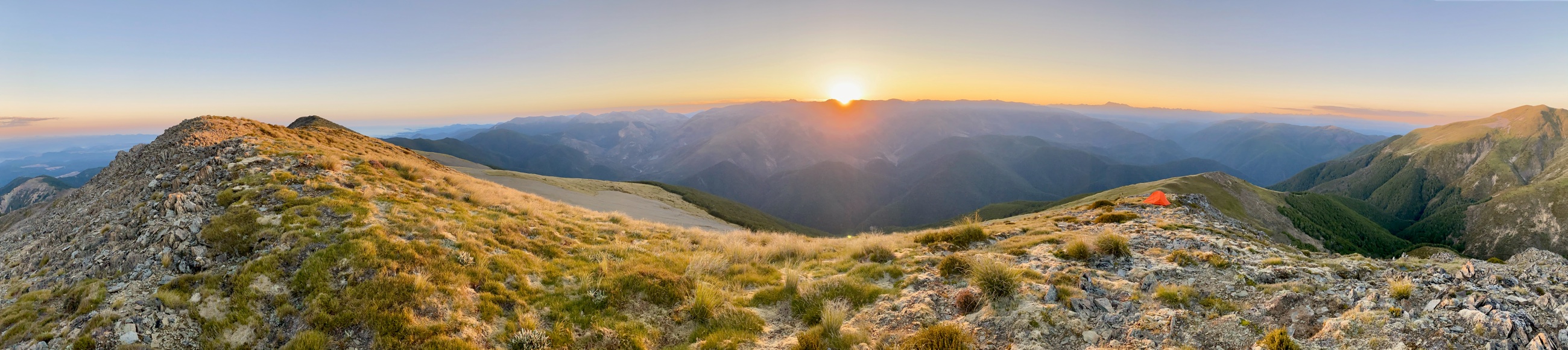
photos/originals/tops-sunrise-pano.jpg
Which is why, after three seasons of using one, you still cannot answer the simplest question you have about your own hunting.
Photographs of the animals you got, in date order, with no hours behind them and nothing at all from the days you came home empty. It is a highlight reel, and a highlight reel cannot be divided by anything.
Most of the hunting logs on the store are built for the American market and built around the harvest. Enter the animal, enter the score. A day with no animal has nowhere to go, so it goes nowhere.
An outing is the unit here, not an animal. It has a start, a finish, a place and a list of what happened — which is sometimes nothing. Once the hours are in the book, a count becomes a rate, and a rate can be compared.
What the camera roll remembers
3 deer
No hours and no blank days, so nothing to divide by.
What the Journal remembers
3 deer in 41 h over 12 outings
Nine of them blank — which is what makes the three mean something.
Screens from the app, unretouched. The record in them is the fictional season the app is tested with — no real place, no real companion, no real outing — because a hunter's spots are the private thing here, mine included.
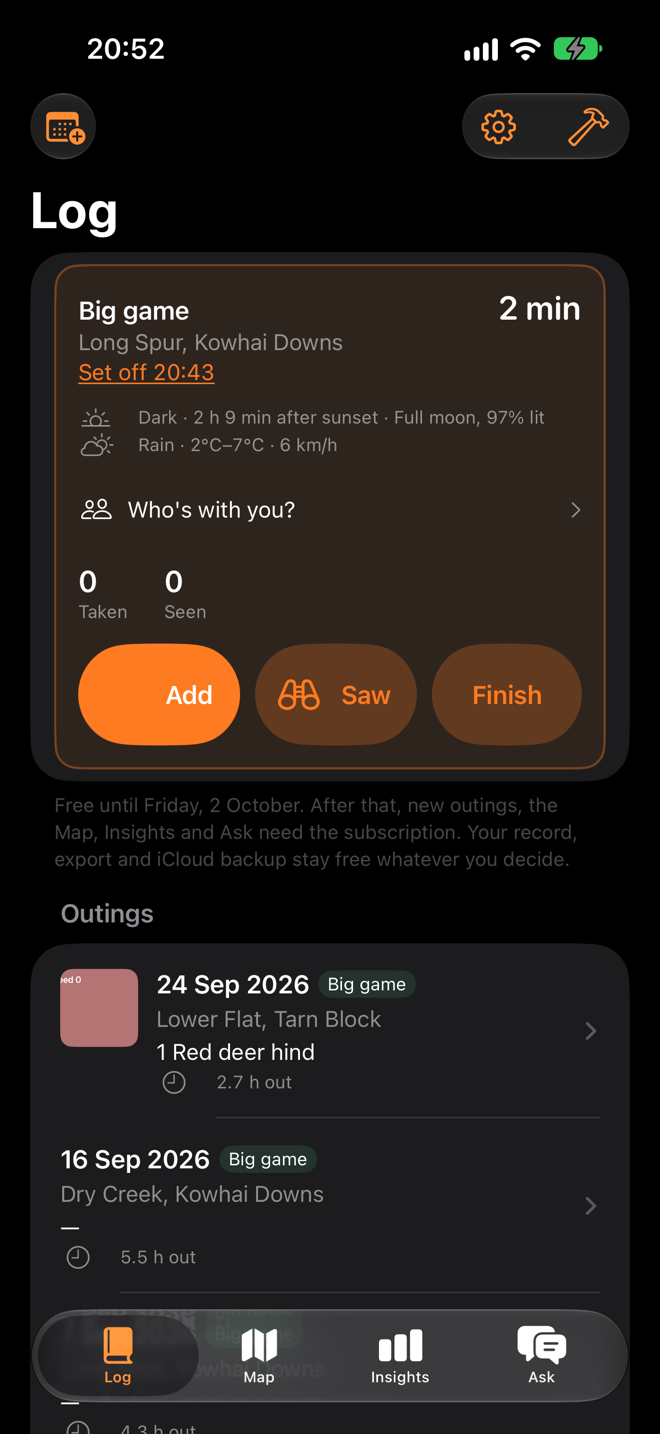
Two taps, or one press of the Action button, and the outing is running with the time, the place, the light and the moon already on it. The weather arrives when there is signal, and is a dash until it does.
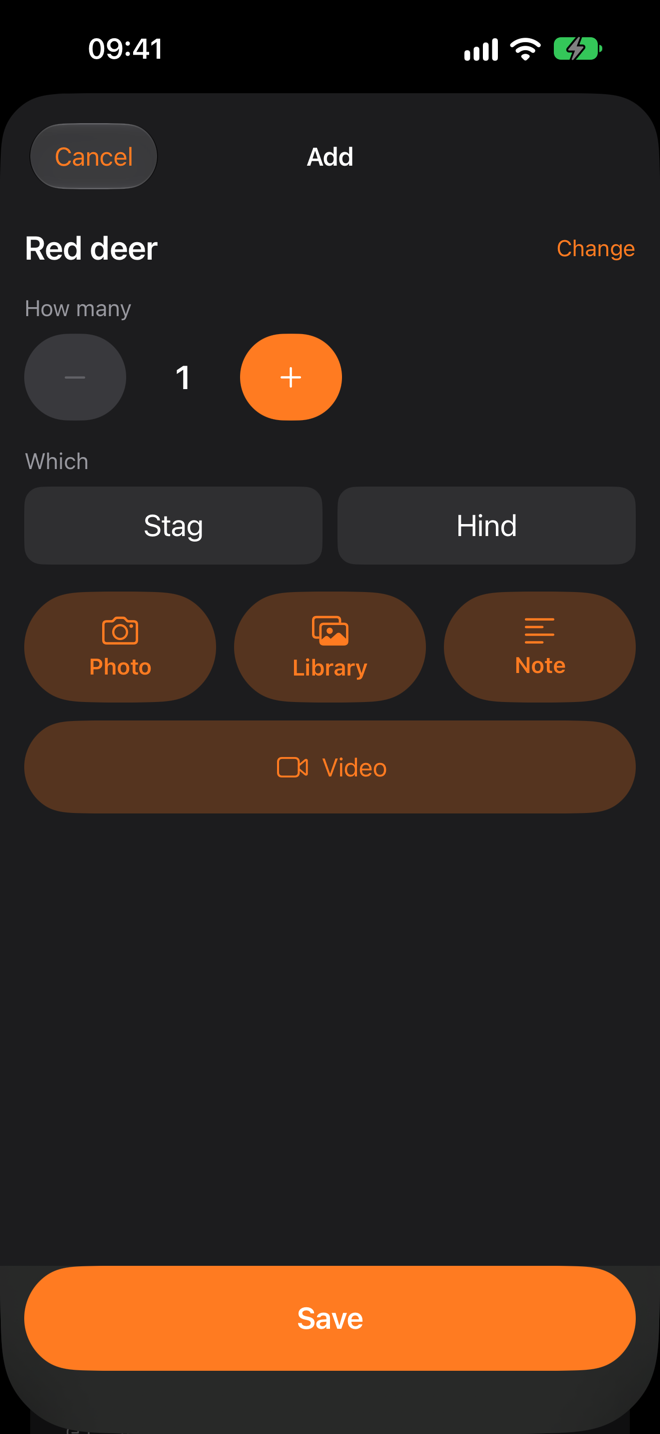
Big tiles, recent first, and the animal is on the record the moment you tap Save. Stag or hind if you want; a photograph or a note if you want. Under fifteen seconds, with gloves on.
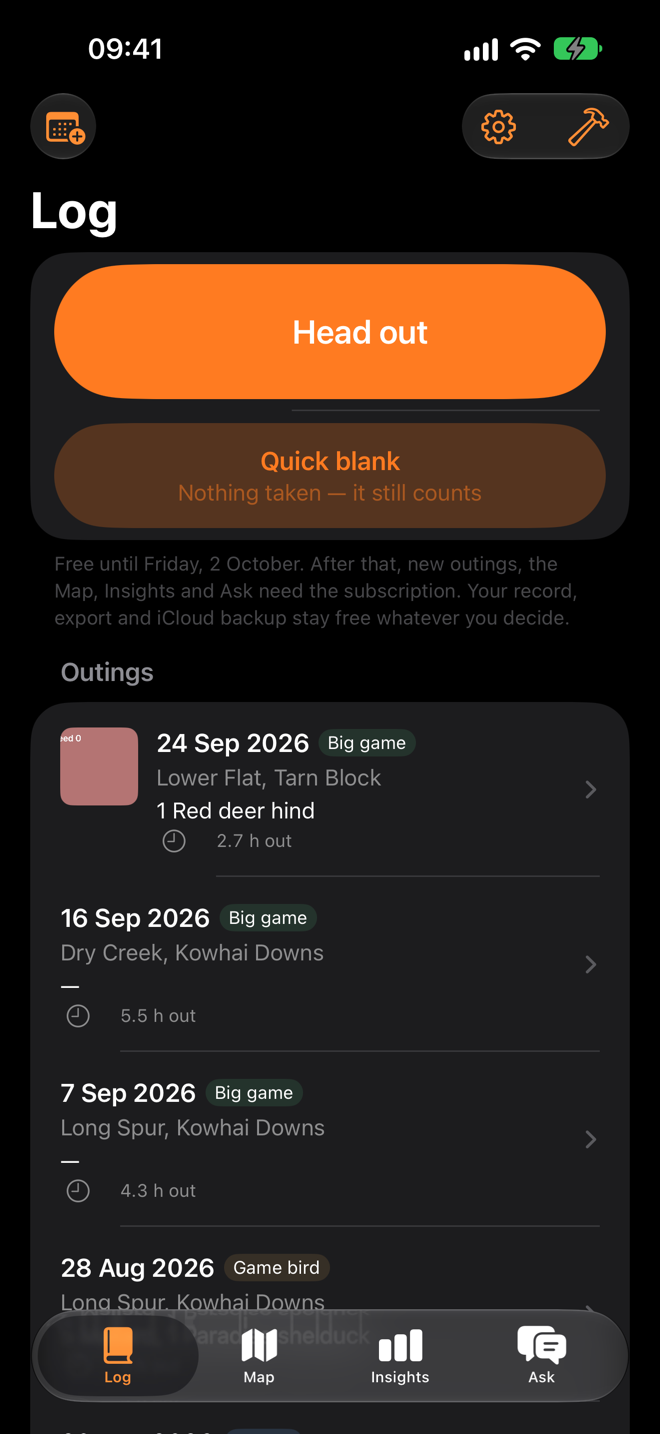
Every outing in one list, the ones that produced nothing included, each with its hours. That list is what makes every figure on the next tab mean something.
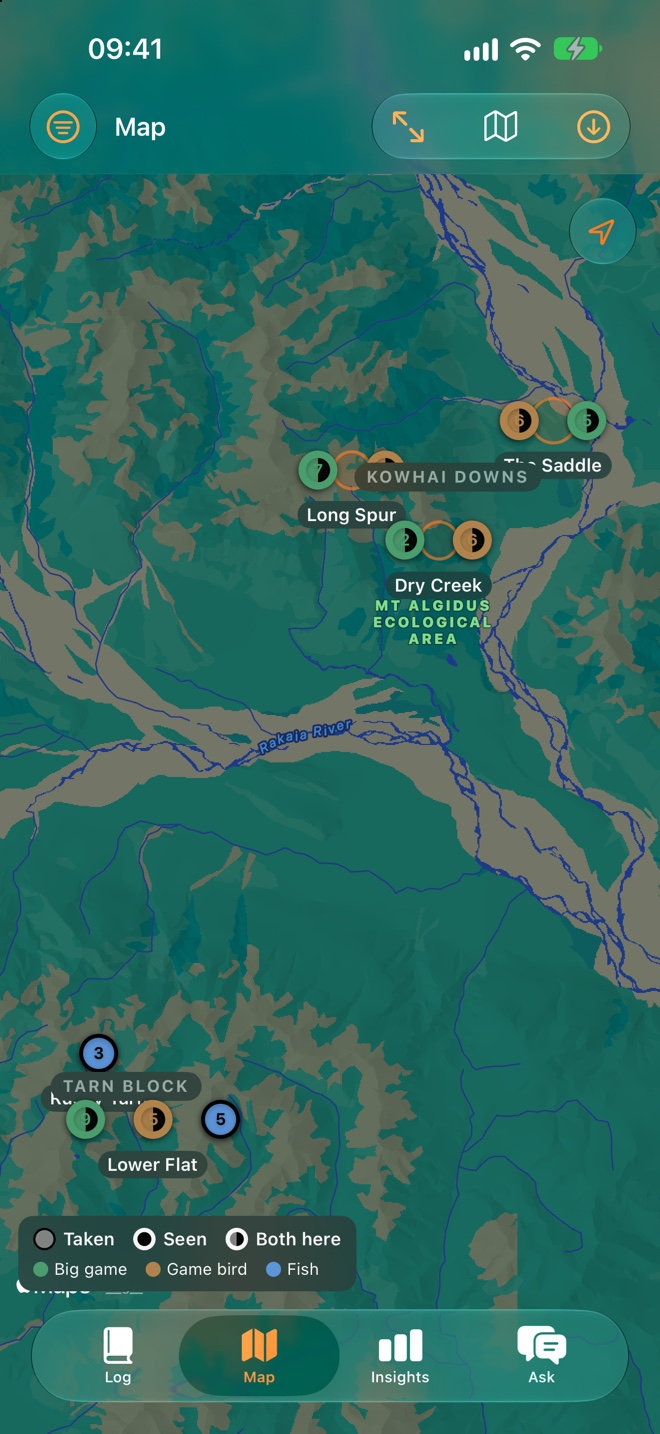
Entries as pins, spots as the circles they actually are, areas as labels. Filled is taken, hollow is seen. No heat map and nothing interpolated: every mark is a thing that was recorded.
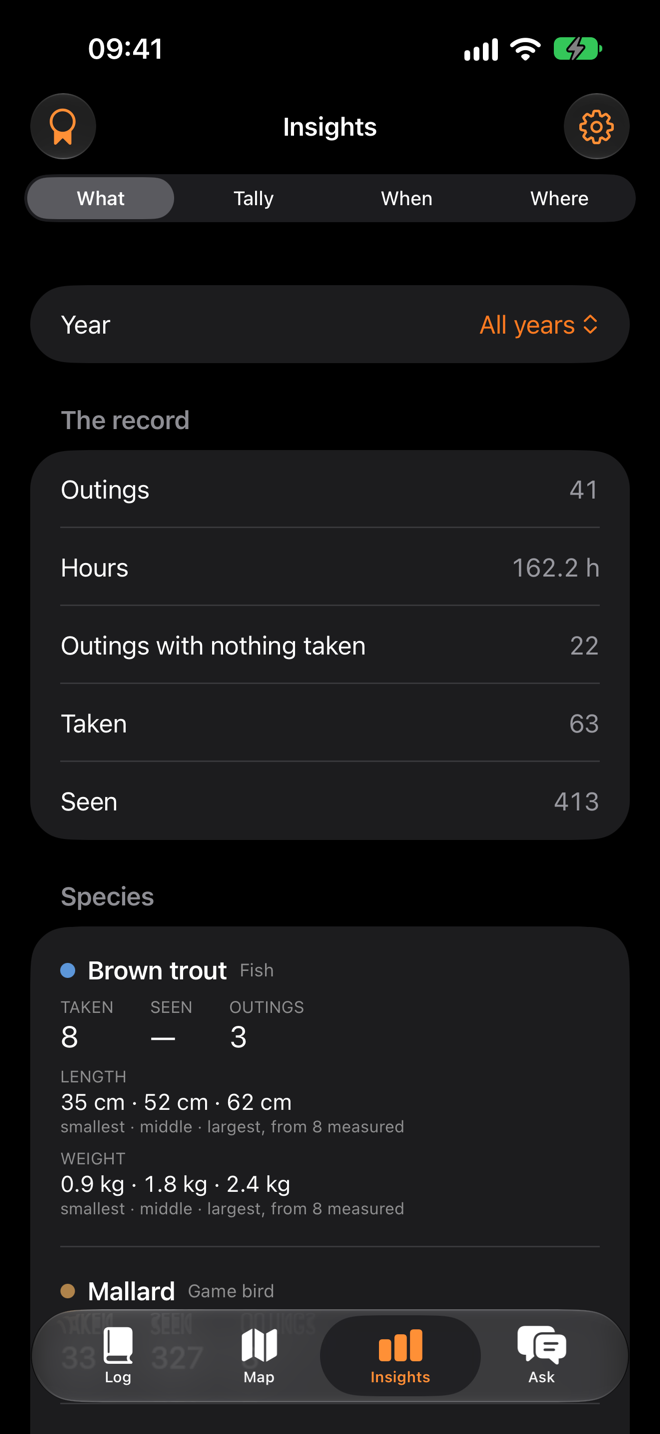
What was taken and what was seen, in separate columns that are never added. A fish's size as smallest, middle and largest, with how many were measured. No means, no verdicts.
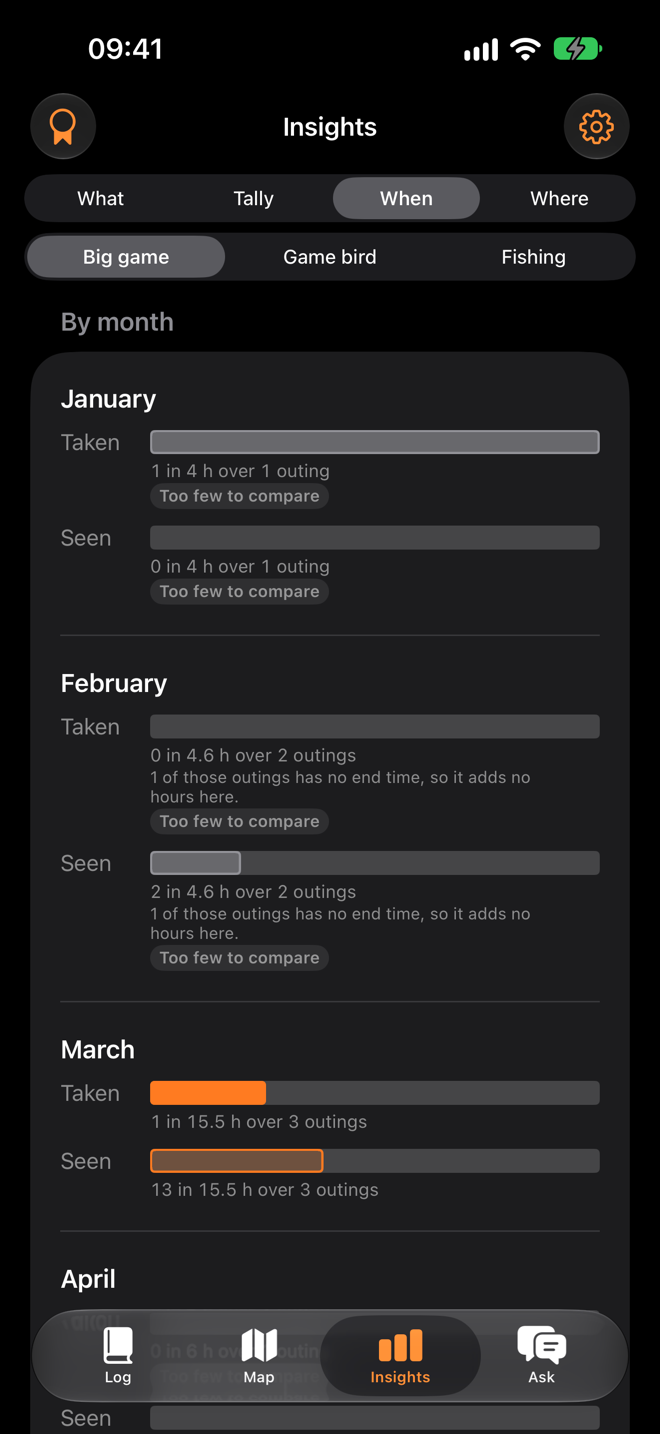
A bar for each, with the count, the hours and the outings written under it, and too few to compare in those words wherever fewer than three outings stand behind a figure.
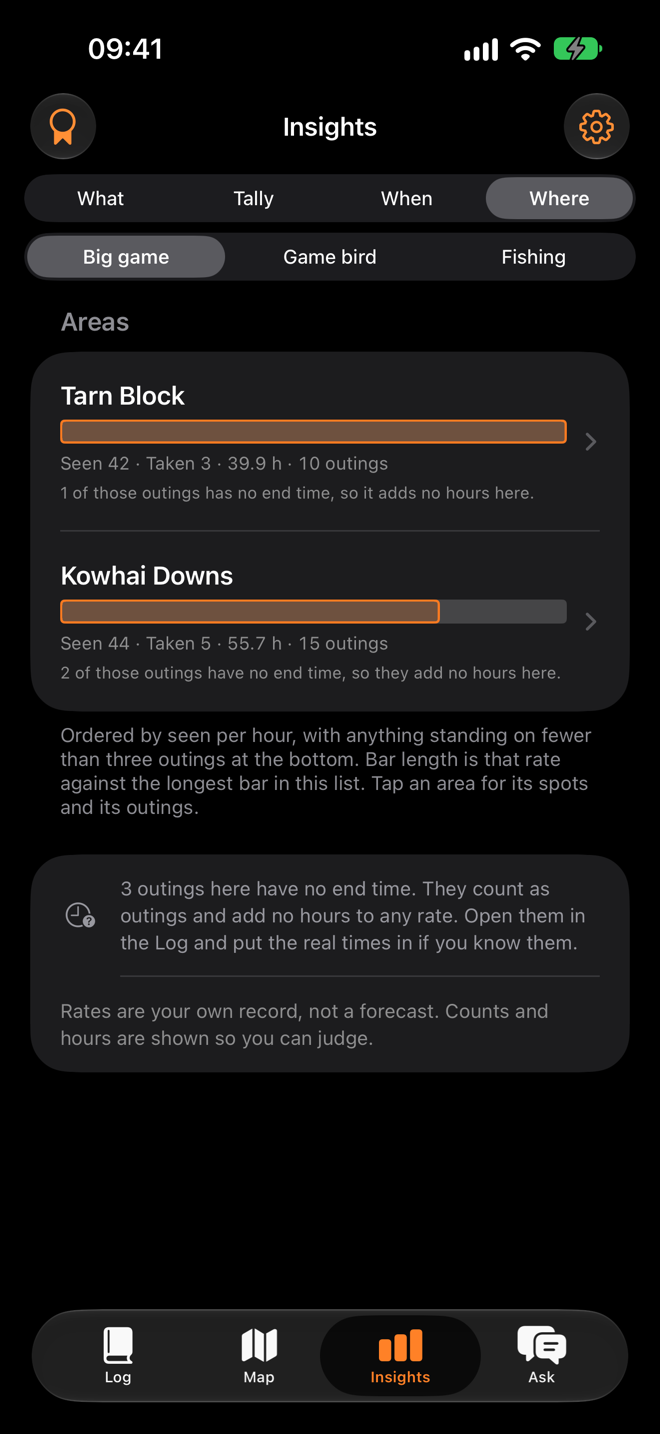
Ordered by what you saw per hour, with the count, hours and outings on every row and the ones standing on too little at the bottom. Tap through to the outings behind any row, blank days included.
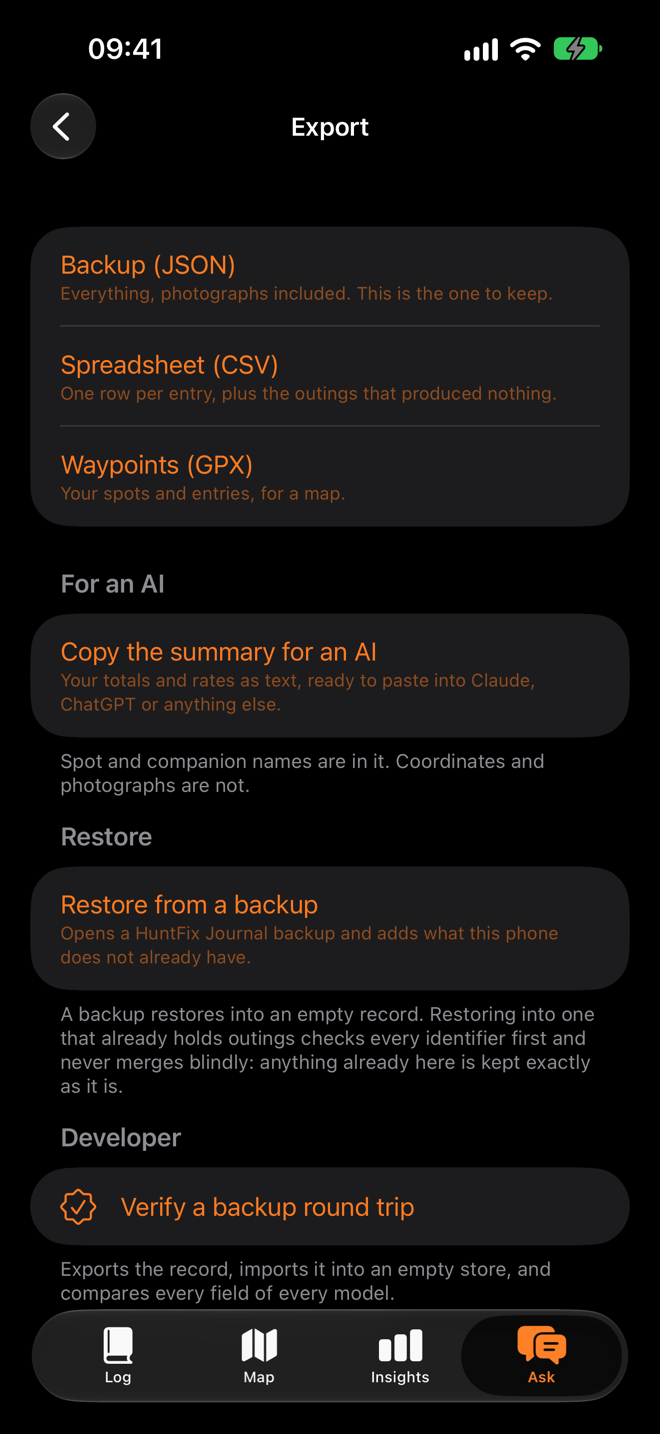
Apple's on-device model reads your record on the phone and answers from it, and from nothing else. Every figure in an answer comes from the record; where the record cannot answer, it says so. Nothing leaves the phone.
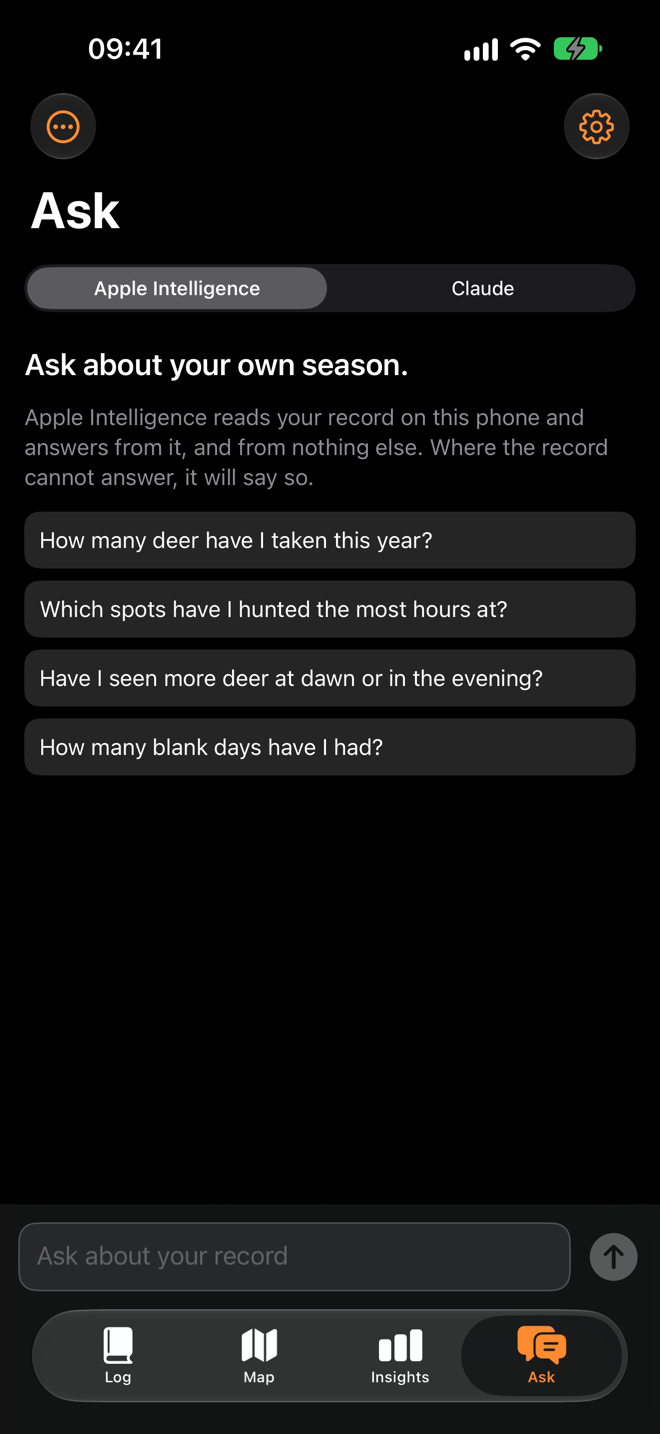
A ladder across everything taken, a tile for the first of each species, and this year's milestones. Every one says what it was counted from, and sightings never count.
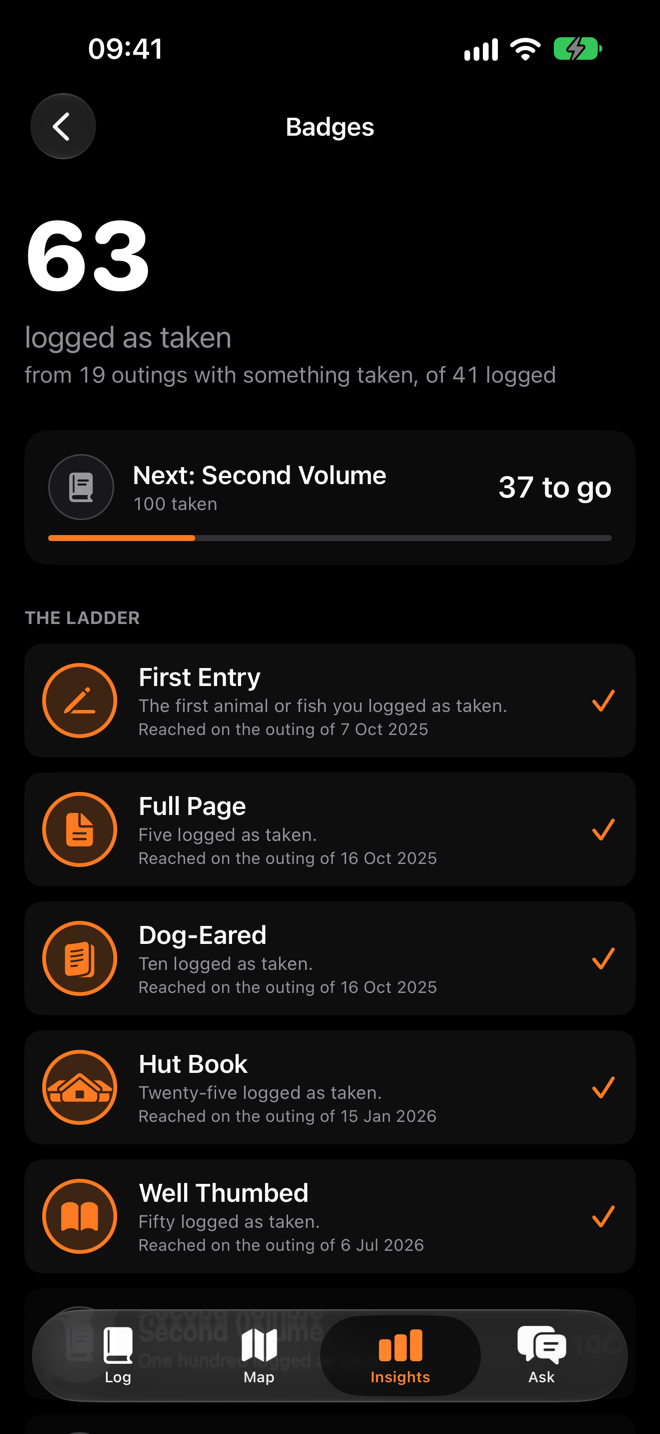
A complete backup with the photographs in it, a spreadsheet, and waypoints for a map — free, never gated, and restorable on a new phone. There is no account to lose it with.
Who built it
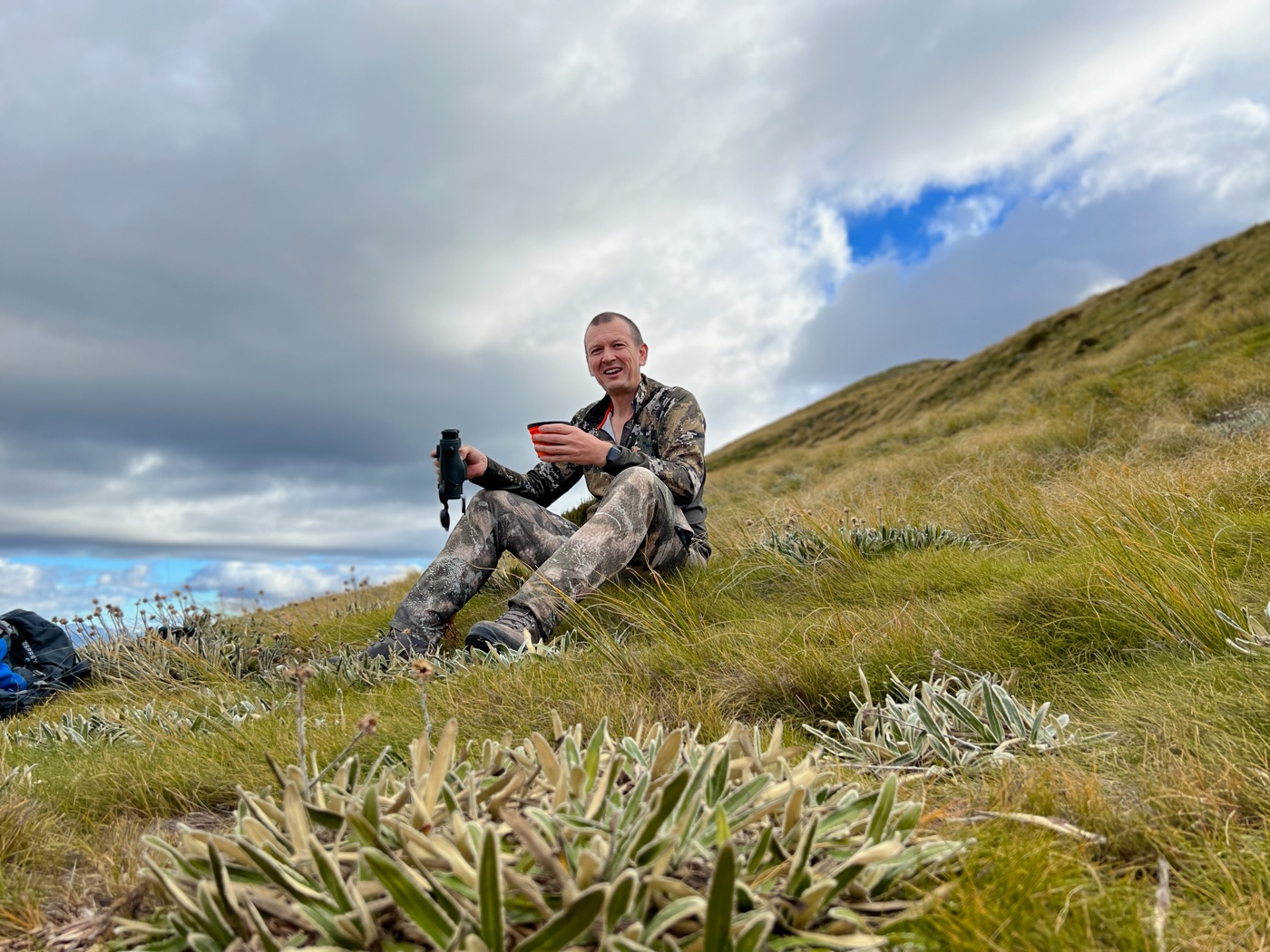
I am Scott. I hunt and fish the South Island, and I also write software, which is a dangerous combination if you keep noticing the same missing thing.
I had years of photographs and no idea how many hours were behind any of them. I could not tell you whether Willy's Gully had actually been better than Creamcan or whether I just liked walking up it. The good days were all I had written down, so the only thing my record could prove was that I sometimes got a deer.
So the blank days are the feature. Everything else in the app follows from making them cheap enough to log — two taps — and then refusing to hide them anywhere afterwards.
It is the companion to HuntFix, which is the other half of the same problem.
photos/originals/glassing.jpg
Three things, and the whole app is built out of them. An outing is a day out. An entry is one thing, or one batch of the same thing. The conditions the phone works out for itself.
What the form asks for
Red deer or fallow. Hind or stag. That is very nearly the whole entry, and it is deliberate — every field the form does not have is a field you are not tapping past at four in the morning with cold hands.
Fish get length, weight, method and bait, because those are the things an angler actually wants back later. Nobody gets antler scores, plumage, weapon, or who pulled the trigger. The bag is the party's bag.
Six mallards is one entry with a count of six. Three trout of different lengths can be expanded into three, each with its own measurement, at the same time and place. The totals come out the same either way.
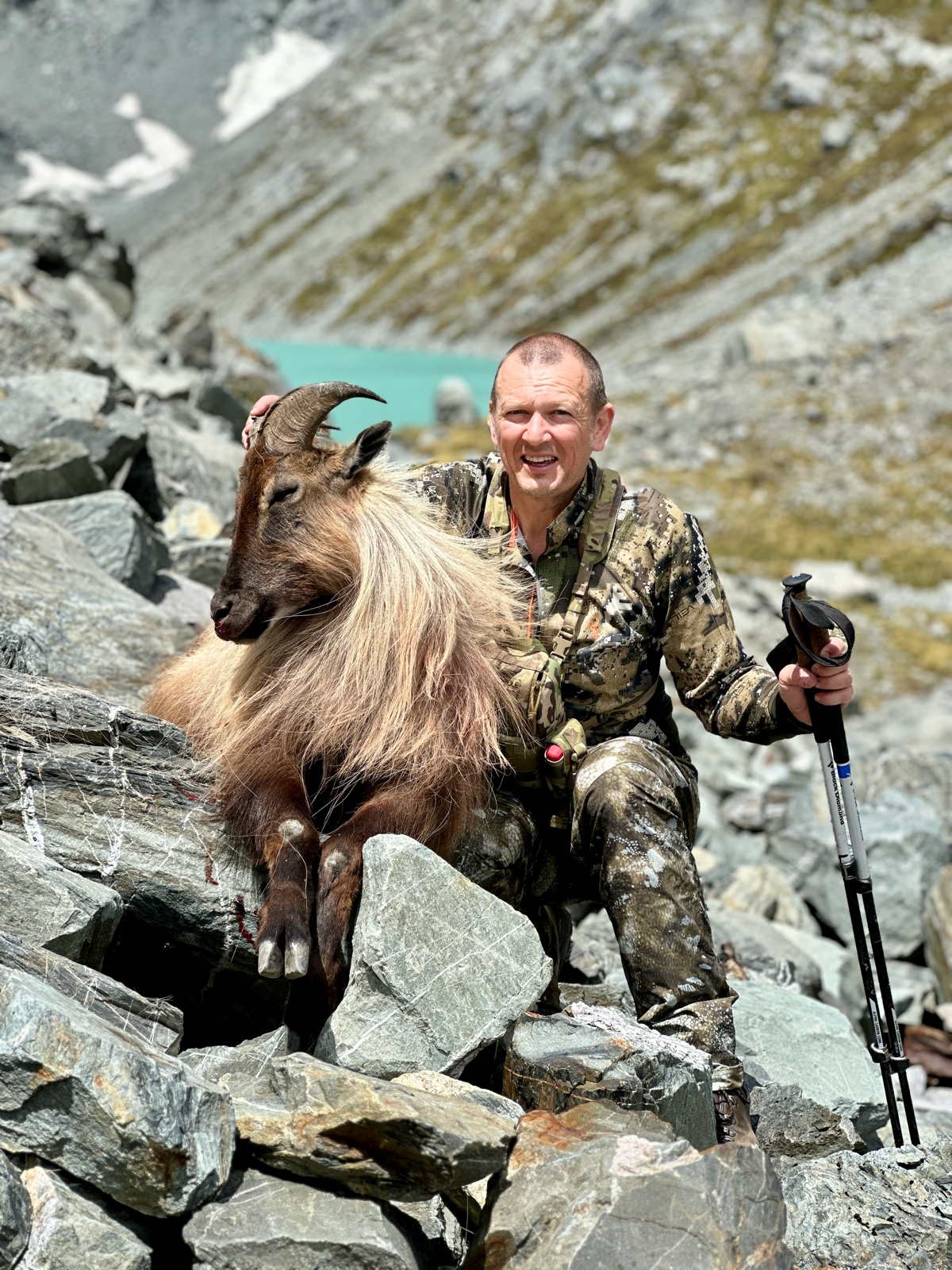
photos/originals/with-an-animal.jpg
"Which spots have I not tried in the evening?" "How many blank days have I had?" "Compare Long Spur and Dry Creek." The Ask tab uses the AI already built into your iPhone to make sense of your own record — so you can plan the next hunt from what actually happened, with the judgement still yours. It answers from your log and from nothing else.
Apple's on-device model, given tools that query your record directly rather than recalling it — so every number in an answer came out of the engine. It can summarise a season, compare two spots with the hours behind each, tell you what you have never tried, and notice a coincidence worth a question. Nothing leaves the phone, and there is nothing to set up. If your iPhone cannot run it, the tab says which of the three reasons it is and offers you the alternatives instead of hiding.
Pick Claude at the top of the Ask tab and Anthropic's model answers instead, with the whole shape of your season in front of it. No key, no account, nothing extra to pay — in the free week and with the subscription. You get five Claude questions a week, and the tab shows how many are left. It passes through a small relay of mine that checks the subscription or the free week and keeps nothing.
What is sent: the fact sheet — your totals and rates with the hours and outings behind them, your companion totals, your last ten outings, and your spot and area names. A second switch sends the full log, one line per outing. Coordinates and photographs are never sent, with either switch.
The same fact sheet can be copied straight out of the Ask tab and pasted into whatever you already use, with no data going anywhere you did not put it yourself. The CSV export does the same job for a spreadsheet, and export is free whatever you have paid.
The kind of answer it gives
Creamcan Gully: 6 outings, all started before 10 am — none in the evening.
Willy's Gully: 2 evening outings, 5 h, 4 seen, none taken. Too few to compare.
Creamcan has only ever been a morning spot for you. Is that deliberate?
Spots are the most sensitive thing in a hunting record. There is no account and no sign-up — your journal is mirrored to the private storage of the Apple Account already on your phone, which means I cannot read it and neither can anyone else.
HuntFix Journal is free for your first 7 days, then NZ$11.99 a year. Whatever happens to the subscription, the record you have kept stays yours to read, export and back up.

NZ$11.99 a year
Annual subscription, through the App Store.
Free for your first 7 days
Free forever, whatever happens to the subscription: reading the record you have already kept, exporting it as JSON, CSV and GPX, and the iCloud backup. A lapse never hides, locks or deletes anything.
The free week is the app's, not a trial. It starts the day you first open the app and nothing is asked of you for seven days — no subscription, no sign-up, nothing to cancel. After that, heading out again needs the subscription, paid from the day it starts and renewing at NZ$11.99 a year unless you cancel. Cancel any time in the App Store; the subscription runs to the end of the period you have paid for.
The price in the app comes from the App Store in your own currency, so it is the one you will be charged. Full terms in the terms of use; what happens to your data is in the privacy policy.
An outing that is already running is never cut off. If it ends while you are out, you keep logging and finish the day as normal. The paywall only ever appears before a new outing — never inside one, never on the entry form, never at Finish. That is a rule rather than a preference.
Without a subscription the app becomes a reader. Every outing, entry and photograph stays exactly where it is and stays fully readable, export keeps working in all three formats, and the iCloud backup keeps running. Starting a new outing, adding entries, the Map, Insights and Ask wait until you subscribe again — and come back with your whole record already in them.
HuntFix Journal is on the App Store, since 1 October 2026. The app is written and it runs: the maths engine passes 158 tests against the United States Naval Observatory's published almanac, a season can be logged, mapped, examined and exported, and a full backup has been proved to round-trip against a store of forty outings without losing a field or a photograph.
It has been on one phone since 14 September 2026, and the iCloud backup and the day's weather have both been proved there. What has not yet been proved is a whole season of it: the camera, the Action button and the field flow under real conditions. The free week and the price on this page are the model the app ships with.
And it has not spent a morning on a hill. Can an entry really be logged in under fifteen seconds, with gloves, in bad light? is a question only the country answers. If it falls short when you try it, say so — that is how it gets better.
No, and it is built so that it cannot. It will not say "best", it will not rank a spot as productive, and there is no forecast anywhere in it. What it does is show you the arithmetic of your own record: two deer in twelve hours over five outings at one spot, one in fourteen hours at another, all three numbers written beside each other. That is a fact about what you did. Which of them means anything is your call — and after a season of your own data you are far better placed to make it than an app with eleven rows in a table.
Because it is the most useful entry in the book, and nearly every hunting app throws it away. A rate is a count over the hours you actually put in. Log only the good days and the hours are wrong, every figure is inflated, and the app is flattering you rather than telling you anything. Quick blank is two taps and under ten seconds, because the honest thing has to be the cheap thing or nobody does it.
Two taps to start an outing, or one press of the Action button or the Lock Screen Control. Two to four taps for a harvest — species, count if it is not one, sex if the species has one, Save — with the time, position, daylight and moon already filled in. Two or three taps for a sighting. One tap to finish. Nothing in that flow waits for the network, and no price or lock is ever shown during it.
The Ask tab runs on Apple's on-device model by default, and nothing leaves the phone. You can instead pick Anthropic's Claude at the top of the Ask tab, in the free week and with the subscription. There is no key to find and nothing extra to pay, and you get five Claude questions a week: five in the free week, then five in any seven days with the subscription. The question goes through a small relay of mine that checks the subscription or the free week, counts your questions and keeps nothing else, then to Anthropic. What is sent is the fact sheet — your totals and your rates with the hours and outings behind them, your companion totals, your last ten outings, and your spot and area names. A second switch sends the full log, one line per outing. Coordinates and photographs are never sent, with either switch. It is all set out on the privacy page.
No, and it never will. There are no seasons, no bag limits, no licence requirements and no permit reminders anywhere in the app. Those things differ by region and change without notice, and an app that is wrong about one of them is worse than an app that never mentioned them. There is one optional free-text note per entry if you want to write your own licence number down. Knowing the rules where you are is yours.
Add it — name, module, done, three taps, in the field, and it is a first-class species from then on. The New Zealand pack that ships is a starting point rather than a boundary, and it is the complete one: red deer through to crayfish, with the sex terms each species actually uses. Australia, the United States, Canada and the United Kingdom get their own vocabulary — stag and hind or buck and doe, harvest or shot — and their species lists are still to come, so until they do, add what you shoot or catch and it is there for good.
No, and that is on purpose. Kept or released, who took it, the antler detail, the plumage, the weapon — none of it is in the app. It is a record of what the party took, not a trophy sheet, and every field the form does not have is a field you are not tapping past in the dark.
Not in the app, and not in the schema either. It was left out deliberately: it needs a port table, a data source and a caveat about which of the two the app used, and leaving it out removes all three. It can be added later without disturbing anything else, so tell me if you would use it.
Free for your first 7 days, then NZ$11.99 a year. Nothing is asked of you for the first week — no subscription, no sign-up, nothing to cancel — and I would rather say so here than have you find out at your first outing. After that, heading out again needs the subscription, which renews at NZ$11.99 a year unless you cancel in the App Store; there is no free trial on the subscription itself. Reading your record, exporting it and the iCloud backup stay free whatever you decide.
Nothing happens to the outing. One that is already running is never cut off: you keep logging and you finish it as normal. The paywall only ever appears before a new outing, never inside one — that is a rule rather than a preference, and it is the same rule HuntFix has about a live recovery.
Three ways, all free and never gated. JSON is the complete backup — every outing, entry, spot, companion and photograph, byte for byte, and it restores. CSV is one row per entry plus a row for every outing that produced nothing, so the blank days are still in the denominator when you start summing. GPX gives you your spots and entries as waypoints for any mapping app. A lapsed subscription does not touch any of them.
No. They are two apps by the same person, with the same design language and the same rule about never claiming more than was measured, and they are bought and used separately. HuntFix marks where an animal fell and walks you back to it — one tense hour. HuntFix Journal keeps the book across a season. Owning one gives you nothing in the other, and neither needs the other to be useful. A one-way Log this harvest button between them is planned once both have shipped.
Android, no — I am an iPhone guy. Apple Watch is the feature this app most wants, because one tap to add a mallard with your hands full in a maimai is worth more than anything on the phone screen. It is a whole second app to build and test, so it waits until the phone version has done a season.
You watched it drop on the far face. Sight it, type in the range from your rangefinder, and walk back to a fixed point an hour later.
The season, kept honestly — outings, entries, sightings, blank days — and the arithmetic of it afterwards. You are here.