Three apps

A field tool for iPhone

Mark where the animal fell. Then find it again.

From where you shot, you can see exactly where it is. An hour later you are standing on that face and every metre looks the same. HuntFix fixes the position while you can still see it, and walks you back to it.

iPhone, iOS 18 or later. Any laser rangefinder — you read the number, you type it in. No account. No reception needed.

Free to download. Two full recoveries free, then NZ$19.99 once.

The developer on a boulder field beside a glacier-fed tarn with a bull tahr he has taken.
A bull tahr, in the boulders above a glacial tarn. This is the ground the app has to be honest about.
What it doesMarks where an animal fell from your position, bearing, angle and rangefinder distance, then walks you back to it.
What it costsNZ$19.99, once. Two full free recoveries first. No subscription.
Where it is up toOn the App Store since 1 October 2026, version 1.0. Used on real hunts in the South Island.
What it needsiPhone, iOS 18 or later, and any laser rangefinder. No account. No reception.
The other appHuntFix Journal keeps the log of the season. Separate app, separate price; neither needs the other.
SightPoint the phone at the animal and lock the bearing and elevation angle it is holding.
RangeType in the distance your laser rangefinder gave you. Metres or yards.
MarkThe phone works out an estimated position for the animal, and how uncertain it is.
RecoverWalk the valley, cross the creek, climb the far side. The target does not move.

The problem is not the shot. It is the walk.

A bearing tells you which way. A range tells you how far. On its own, neither one gets you to the animal.

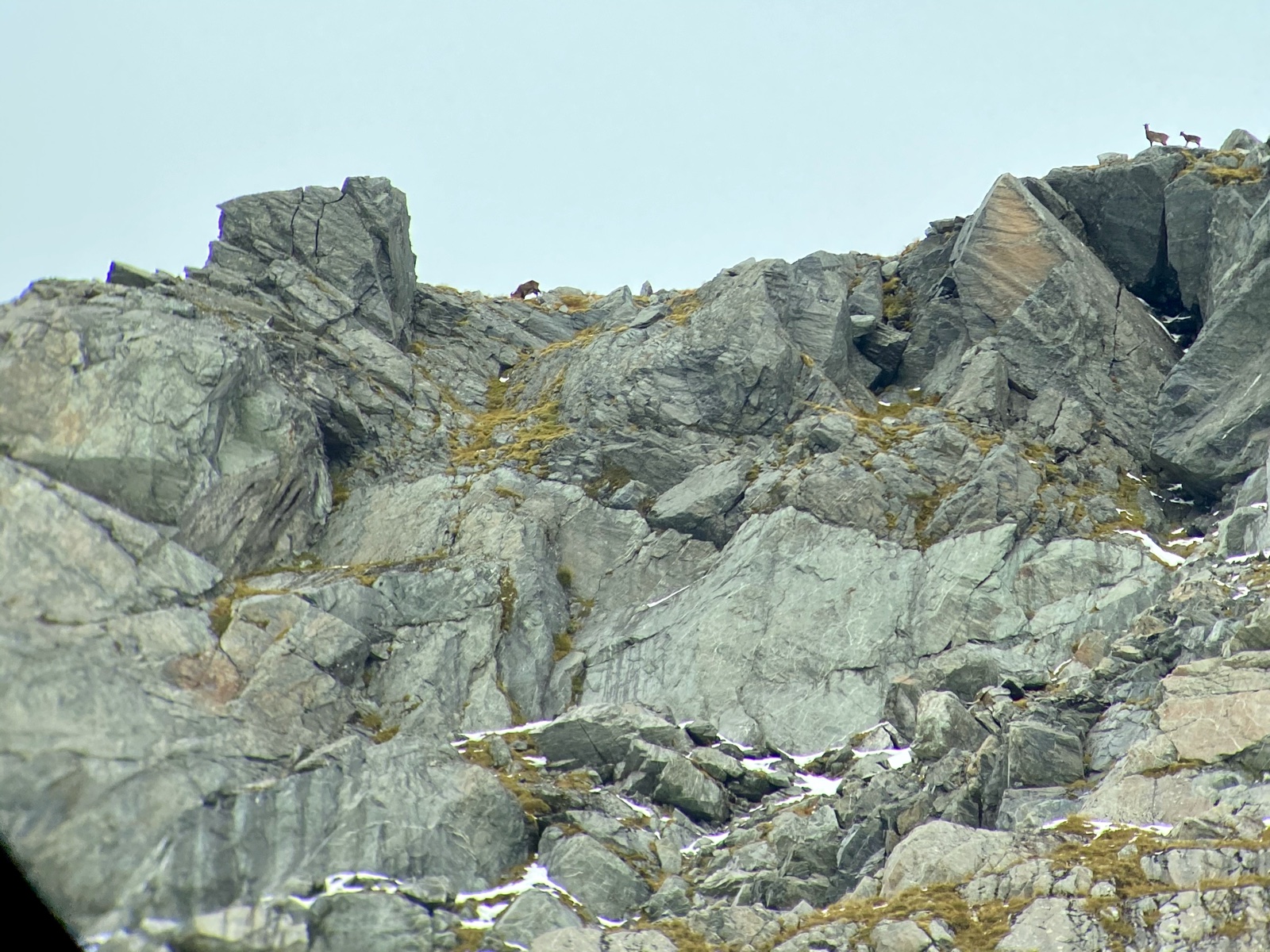
A steep grey bluff face photographed from across a valley, with three tahr on it — two on the skyline and one bedded in the rocks below.
Photo — tahr on the face 16:9 · 1600 px wide photos/originals/tahr-on-the-face.jpg
There are three tahr in this photograph — two on the skyline, one in the rocks below them. Now find that same spot after you have dropped into the creek and climbed back up, with the skyline gone and every gut looking like the one beside it.
What you have now

A rangefinder

An excellent number, once — and only useful while you are still standing where you took it.

What you have now

A bearing lock

Garmin's Sight 'N Go walks you out along a line. That is half the answer: the right bearing, and a whole face to search along it.

What HuntFix adds

The other half

Your phone knows where you are, which way it is pointed and at what angle. Add the rangefinder's number and the line becomes a point.

Who built it

I have hunted this country since I was a boy.

I am Scott. I am not a software company — I am a hunter who got tired of the search, and who writes software.

I live in the South Island, where deer, tahr, chamois, pigs and goats run free on public land. Tops camps, bluffy faces, river flats and the long climb up the other side — that is the country HuntFix was built for, because it is the country I hunt.

I built it for myself, for the hour on the far face with the light going. It might be useful to you too.
Read the whole story →

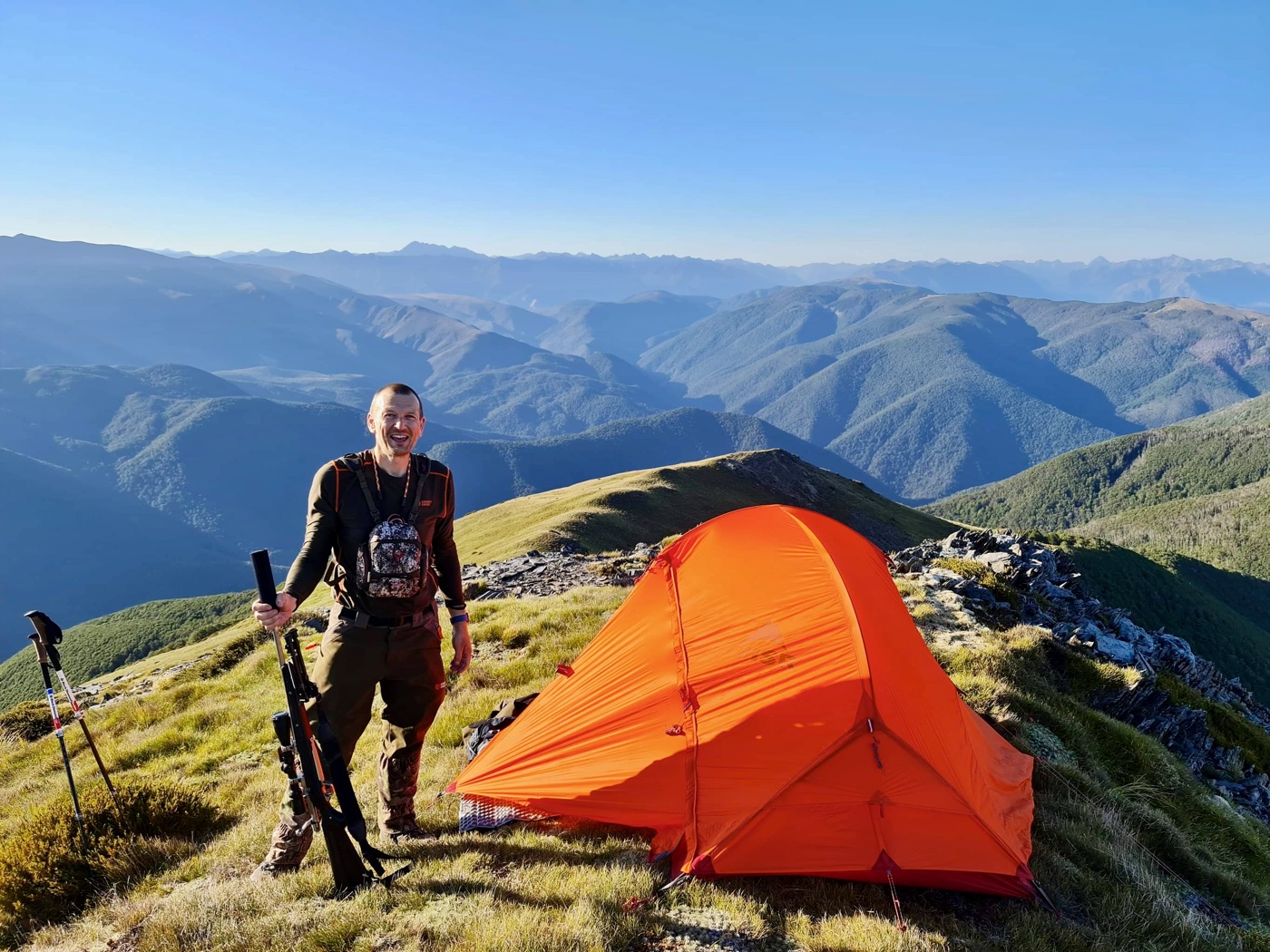
The developer beside a small orange tent camped on a ridge top, rifle in hand, with the Southern Alps behind him.
Photo — who built it 3:2 landscape · 1400 px wide photos/originals/who-built-it.jpg
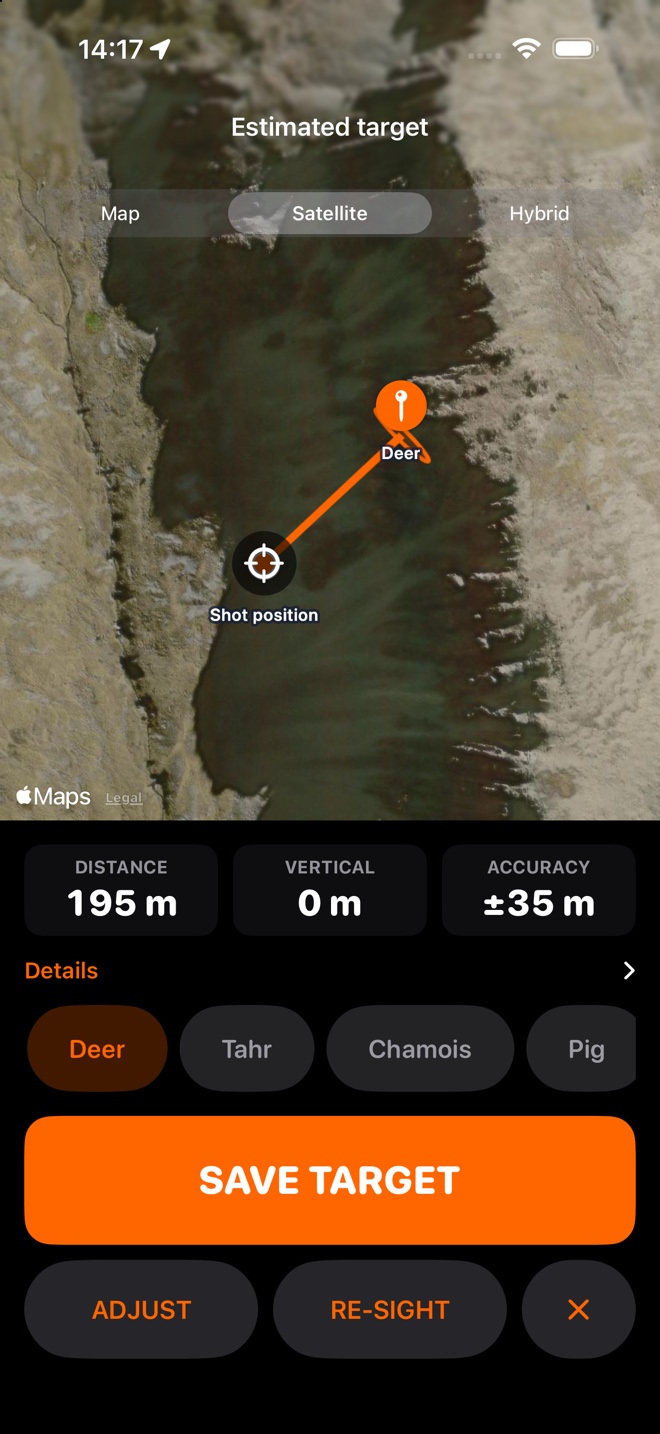
The HuntFix confirmation screen: satellite imagery of a steep rock-and-scrub face with the shot position, the target pin labelled Tahr and the line between them, above tiles reading 375 m distance, plus 60 m vertical and likely within plus or minus 66 m.
Fig. 1The estimate, before you keep it. Shot position, target, and the zone to search — 375 m away, 60 m above you, likely within ±66 m.

Position + bearing + angle + range = target

That is the whole app. One workflow — Point → Lock → Range → Mark → Go — and nothing gets in its way.

The rangefinder had the missing number the whole time. Sight 'N Go walked you out along a line; add the range and the angle, and the line becomes a point.
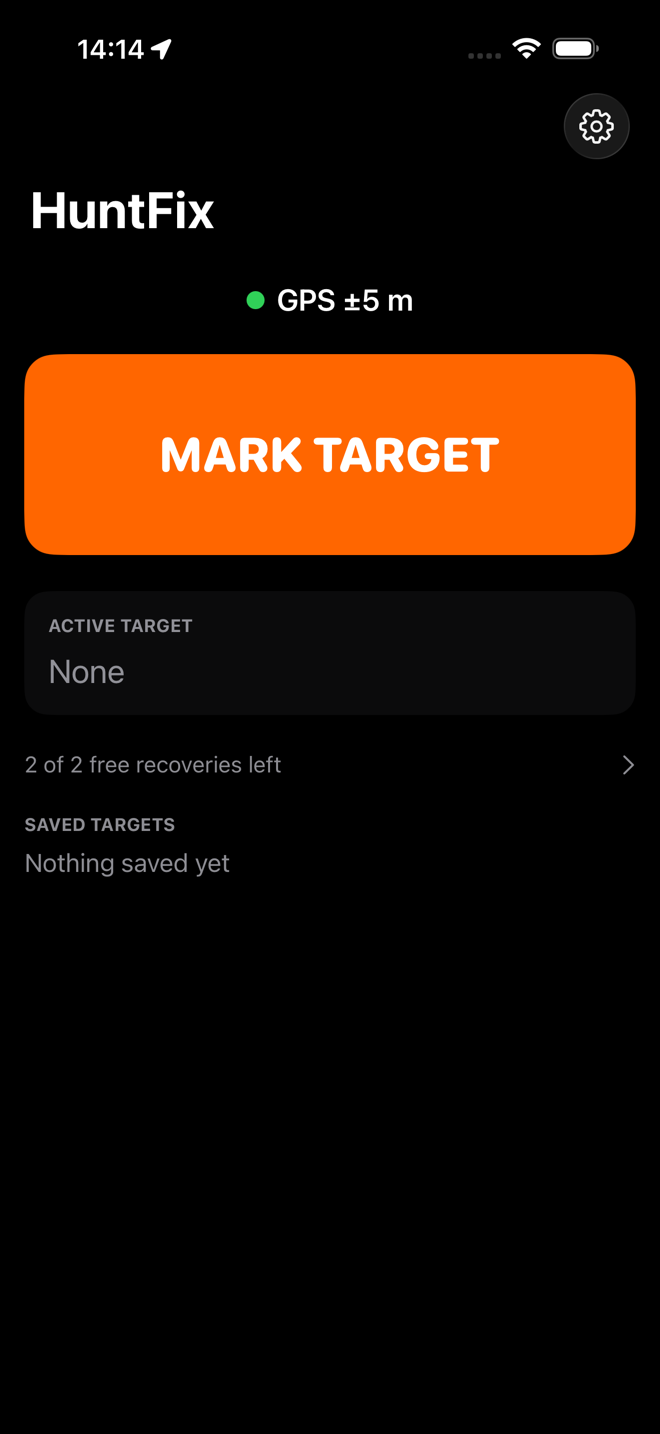
The HuntFix home screen showing GPS accuracy and a full-width MARK TARGET button.
One buttonGPS quality at the top, MARK TARGET under your thumb.
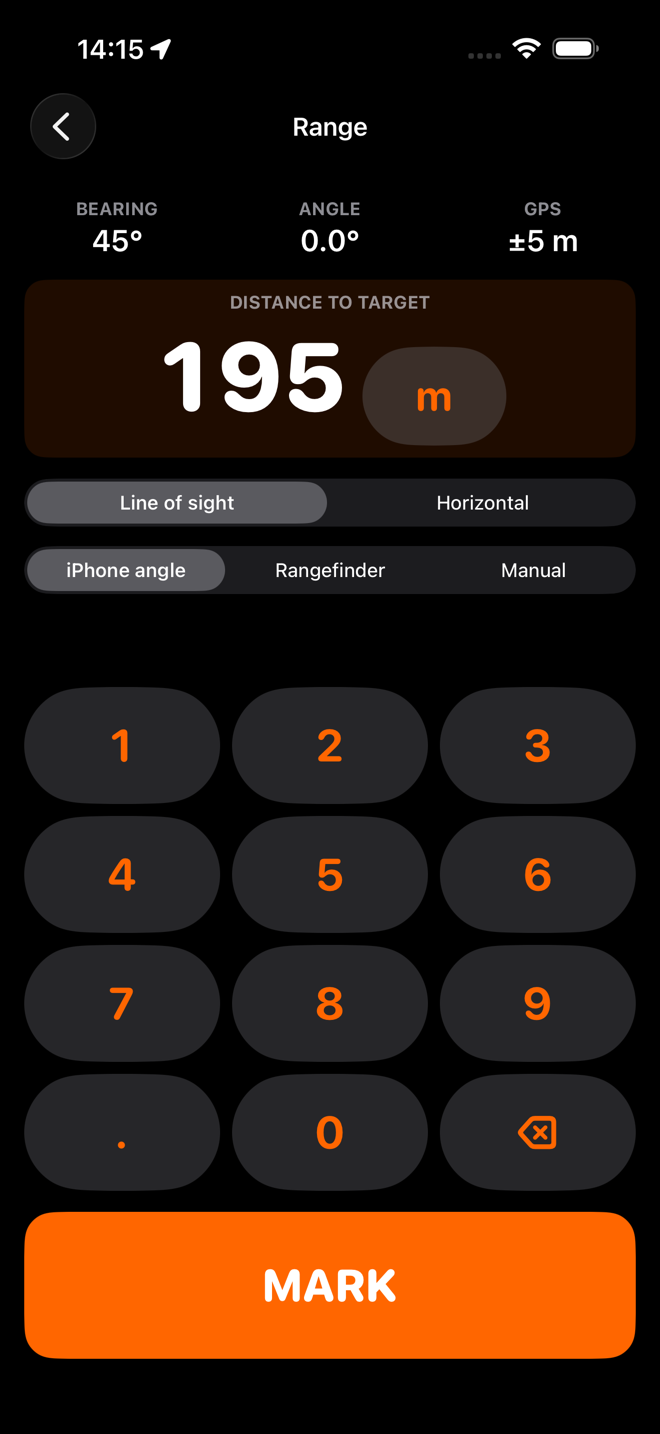
The range entry screen with a large keypad, 380 m entered, and switches for line of sight or horizontal range.
Its own keypadBig keys, no system keyboard, metres or yards.
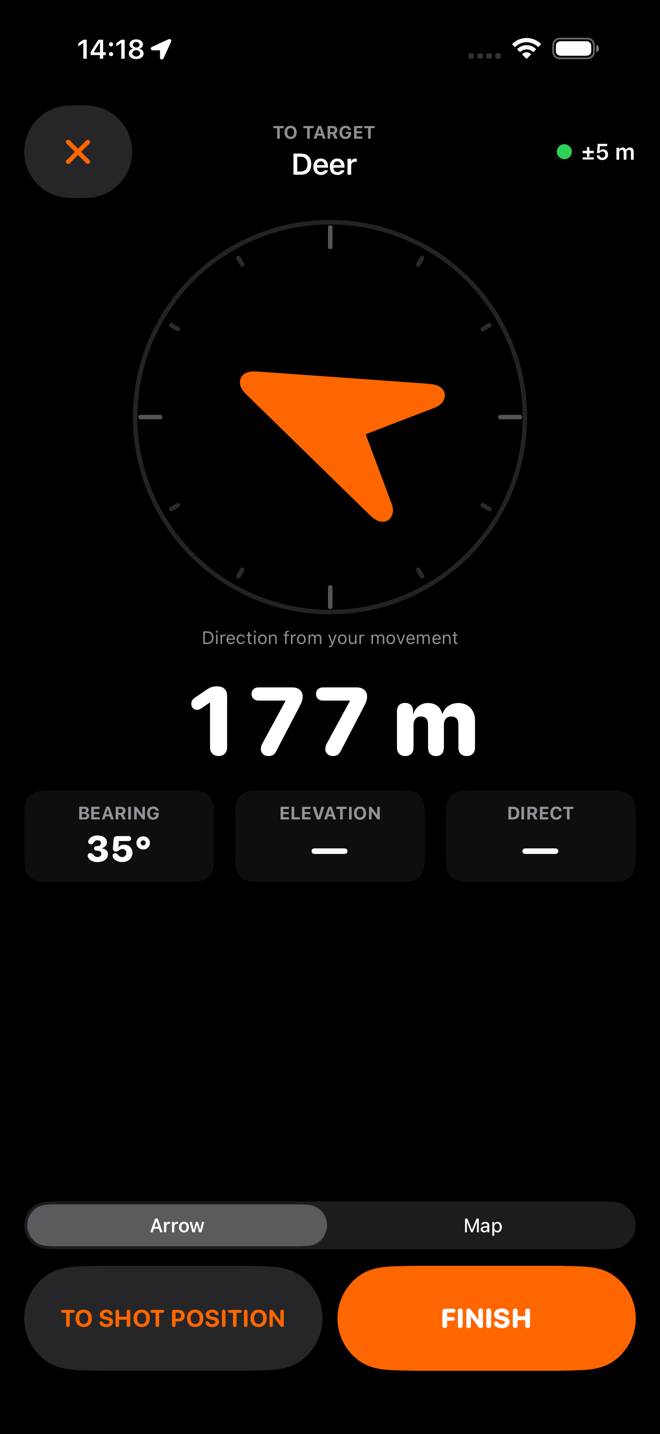
The navigation screen with an orange arrow, 313 m to target, and the note that direction is coming from your movement.
Numbers firstDistance and direction big enough to read at arm's length.
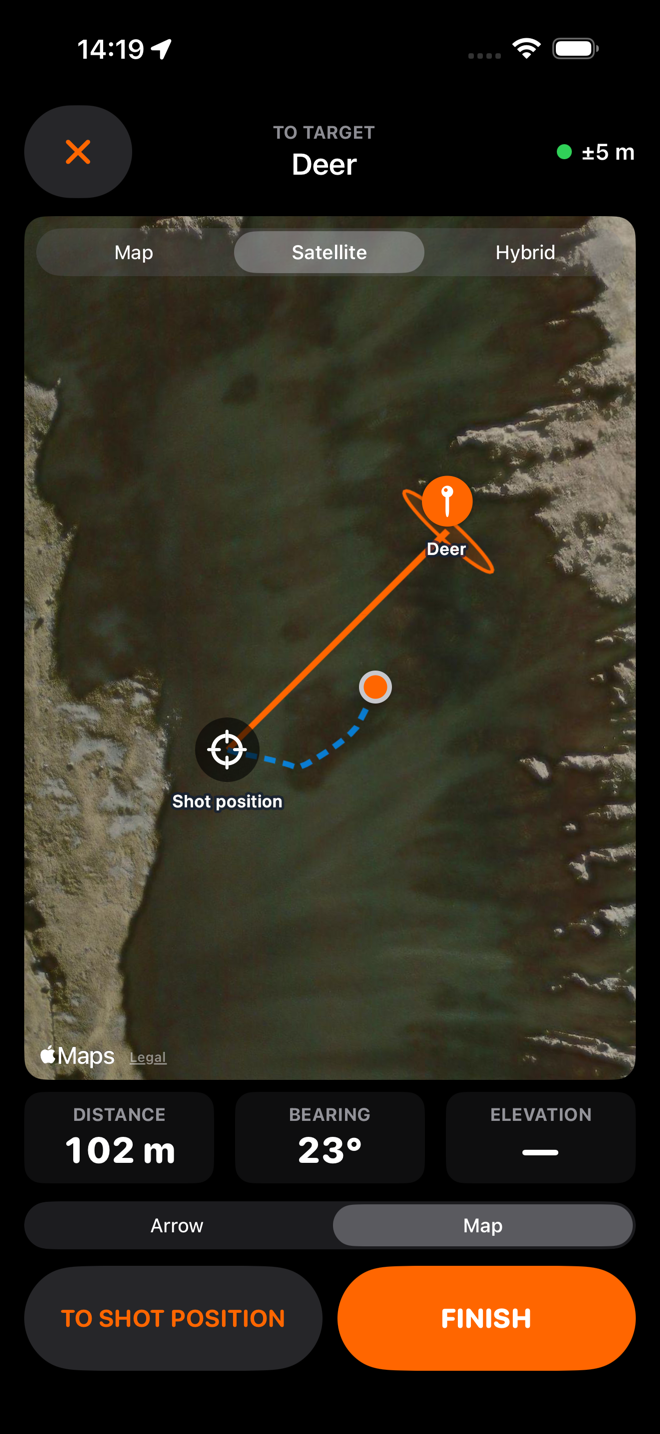
The navigation map, on satellite imagery, with the shot position, the breadcrumb trail walked so far, and the target inside its uncertainty ellipse.
Map secondUseful when it loads. Never needed for the app to work.
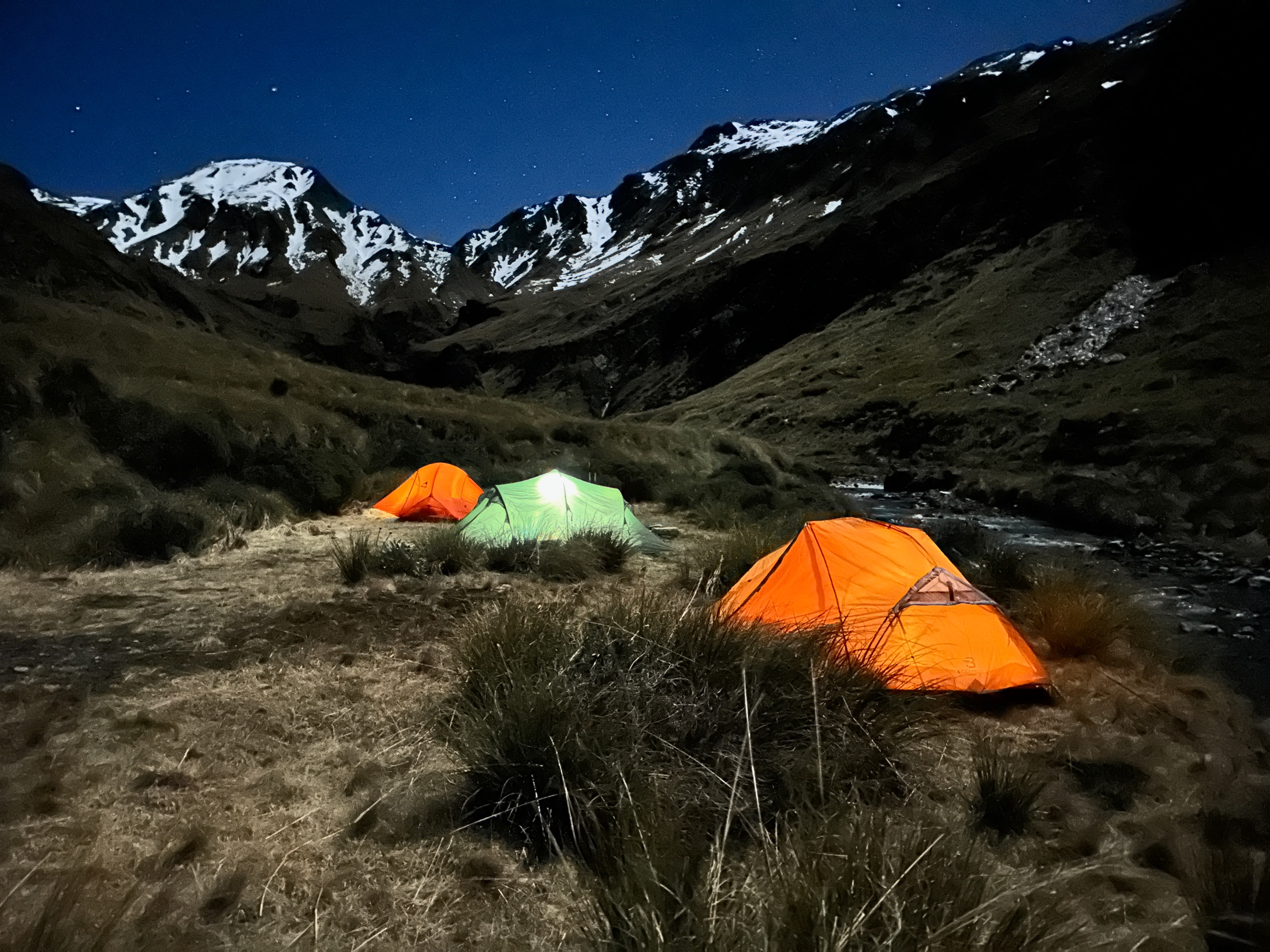
Three small tents pitched on a tussock flat beside a creek under moonlight, one lit from inside, with snow-covered peaks and stars above.
Photo — night camp full-bleed band · 2200 px wide photos/originals/night-camp.jpg
This is where it has to work. No reception, no help coming, and whatever the phone told you before dark is what you have got.

Honest by design

It tells you what it does not know

One rule outranks every other: never imply precision that was not measured.

Distance375 mhorizontal, from 380 m line of sight
Vertical+60 mnine degrees above you
Likely within±66 macross the line · ±5 m along it
  • Every target carries an uncertainty. The map draws it as a zone to search, not a pin to trust.
  • An unknown is a dash, never a zero. If the phone had no elevation, the screen says "—" and why.
  • A poor compass is said out loud. Low confidence rounds the bearing to five degrees and widens the zone.
  • A shaky hold makes a wider zone. How much the bearing wandered in the second before you locked is counted in.
  • The sighting is never edited. Move the pin by hand and the app keeps your correction beside the measurement, never over it.

Where this is up to

On the App Store since 1 October 2026, after a beta with a small group of hunters. It has found animals for me on my own South Island hunts.

No accuracy figure yet. Every target shows its own uncertainty, but a published number needs measuring against known positions, and that is still to do.

A record of what you have recovered

Mark an animal Recovered and it counts. Badges at 1, 5, 10, 15, 20, 25, 50 and 100 — First Fix to Hundred Faces, the country climbing as the count does.
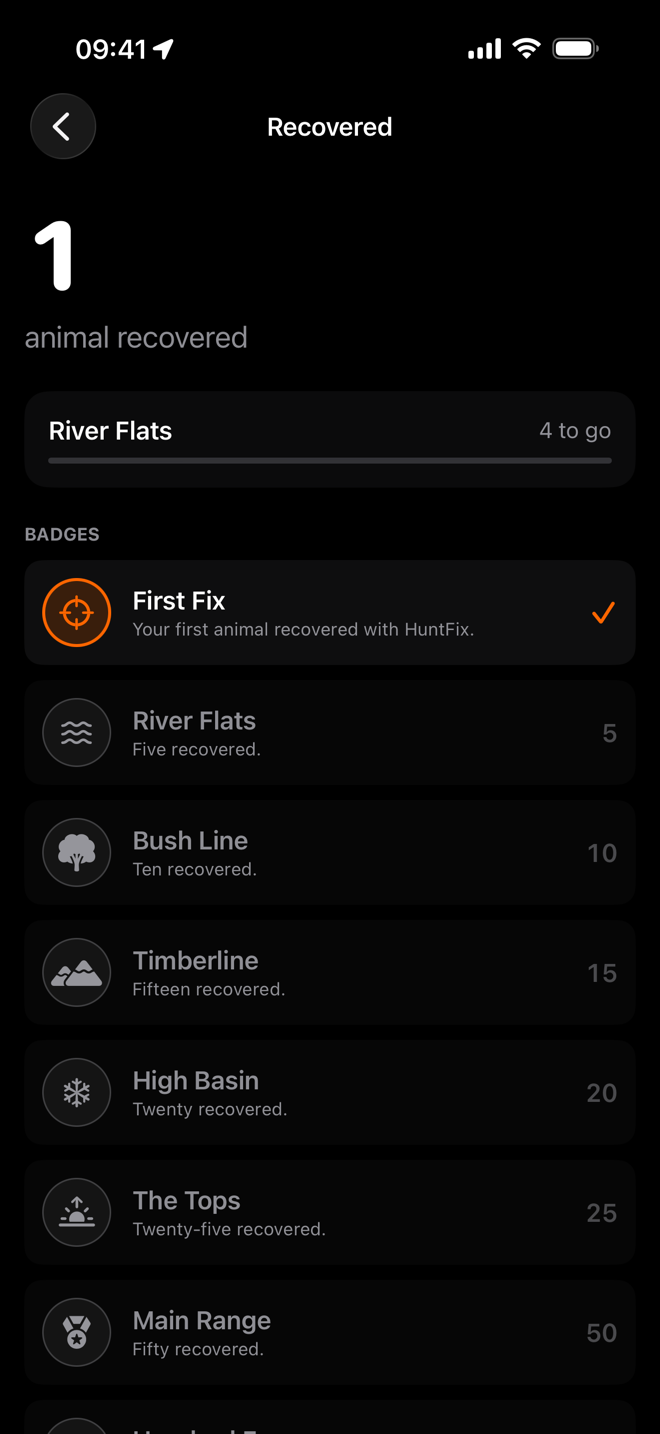
The Recovered screen: one animal recovered, four to go for the River Flats badge, and the ladder of badges from First Fix to Main Range.

It is a small thing, and it is yours. Nothing is posted, nothing is compared, and there is no leaderboard — there is no server to put one on.

It is your record, not a verified one, and the app says so. HuntFix only knows you tapped the button on the hill. The count is your saved targets marked Recovered, so deleting a target takes its recovery with it, and the count follows your iCloud backup to a new phone.

A season is a long time, and the tally at the end of one is worth having.

Where you hunt goes to your iCloud, and nowhere else

Hunting spots are sensitive. HuntFix has no account and no server of mine. Your targets back up to your own iCloud, which I cannot read.

  • No account, ever. Open it and use it.
  • Backed up to your iCloud, not to me. Your Apple Account, your storage. I have no way to read a record of it.
  • Turn it off in one tap in Settings, and delete the iCloud copy if you would rather nothing was up there. Your targets stay on the phone either way.
  • Photos never touch your Photos library, so a hunting spot cannot turn up in a shared album. They stay with their target.
  • The usage counters are plain counts. You can see them in Settings; they are not backed up and cannot carry a position.
  • Maps are Apple's. Drawing one asks Apple for tiles. Everything HuntFix itself draws works with none.

Read the full privacy policy →

What it costs

Two free recoveries, then you buy it once. Hunters buy gear; they do not rent it.
NZ$19.99 once

One payment. No subscription.

Two full free recoveries first

  • Unlimited targets — mark and recover as many as you like
  • Improvements to the marking and recovery tool as it grows

Included, bought or not

  • A photo of the sight picture
  • Breadcrumb trail and the likely-zone breakdown
  • GPX export, Apple Maps and copy coordinates
  • Proximity haptics at 100, 50 and 20 m
  • Badges for the animals you recover
  • iCloud backup to your own private iCloud

Download now

What that buys is Fix and Find — sighting a target, marking it, and recovering it — for good, on your Apple Account, along with the improvements that come to it.

Features with running costs behind them — premium topographic maps, terrain elevation data, sharing targets with your party — may come later and may be sold separately. Whatever you have bought stays yours.

Questions

I shot it and it ran. Can HuntFix find a wounded animal?

No, and it will not pretend to. It does not track blood or follow an animal that moved, and it cannot find something you never saw. What it can do is mark where the animal was standing when you shot and the last place you saw it — two fixed points to start a search from, instead of a memory of a shape on a skyline.

Is this the iPhone version of Garmin's Sight 'N Go?

Sight 'N Go with the missing number. It locks a bearing and walks you out along it, which leaves you searching along a line. HuntFix adds the range and the angle and gives you a point, with an elevation and an uncertainty.

Do I need a particular rangefinder?

No. Any laser rangefinder: you read the number off whatever optics you own and type it in. Nothing to pair, nothing to buy.

Does it need mobile reception?

No. Sighting, marking and navigating all run on the phone with no network at all. Only the map tiles and the iCloud backup use one, and neither is needed: a blank map changes nothing, because HuntFix draws the shot position, the target, the line and the zone itself.

My rangefinder already corrects for angle. Will HuntFix correct it twice?

Not if you tell it. The range screen has a Line of sight / Horizontal switch, and a plain-language note about exactly this. Choose Horizontal when your rangefinder has already done the angle maths, and HuntFix will not do it again.

How accurate is it?

It has worked for me on my own hunts, but that is experience, not a measurement, and this site will not turn it into a number until one has been measured against known positions. What the app does is tell you, target by target, how uncertain that target is — from the GPS, the compass confidence and how steady you held the phone.

Will a paywall stop me mid-recovery?

No, and that is a rule rather than a preference. The only check in the whole app happens on the home screen before you start a new sighting. An animal already on the ground is never held to ransom: navigating to a target that already exists works forever, bought or not.

What happens to my targets if I do not buy it?

Nothing. Saved targets, photos, trails, the likely-zone breakdown and the exports all stay available. The unlock buys the next recovery, never access to the last one.

Does it work on flat ground?

Yes. The angle is simply zero and the maths reduces to the flat case. It was built for a valley because that is the hard version of the problem.

Is there an Android version?

Nope — I am an iPhone guy. If you want the app, buy an iPhone. An Apple Watch app may follow.

Two apps, one problem, different halves of it

Find it

HuntFix

You watched it drop on the far face. Sight it, type in the range from your rangefinder, and walk back to a fixed point an hour later. You are here.

Log it

HuntFix Journal

The season, kept honestly — outings, entries, sightings, blank days — the arithmetic of it afterwards, and Apple's on-device AI to ask about it. Separate app, separate price, same rule about never claiming more than was recorded.

Go to HuntFix Journal →